Photo-a-day made effortless
How Daily Selfie Works: From One Photo a Day to a Timelapse Video
Daily Selfie turns one photo a day into a smooth timelapse video of your transformation. A guided camera lines up every shot, your photos are organized by day, and AI face morphing builds the video for you, so you never spend hours aligning frames in an editor.
- to take your daily photo
- ~10 sec
- to take your daily photo
- of manual alignment
- 0 hours
- of manual alignment
- Full HD video export
- 1080p
- Full HD video export
- free to download
- iOS & Android
- free to download
How to take a selfie every day and turn it into a timelapse
Six simple steps take you from your first photo to a shareable transformation video.
-
1
Download the app and sign in
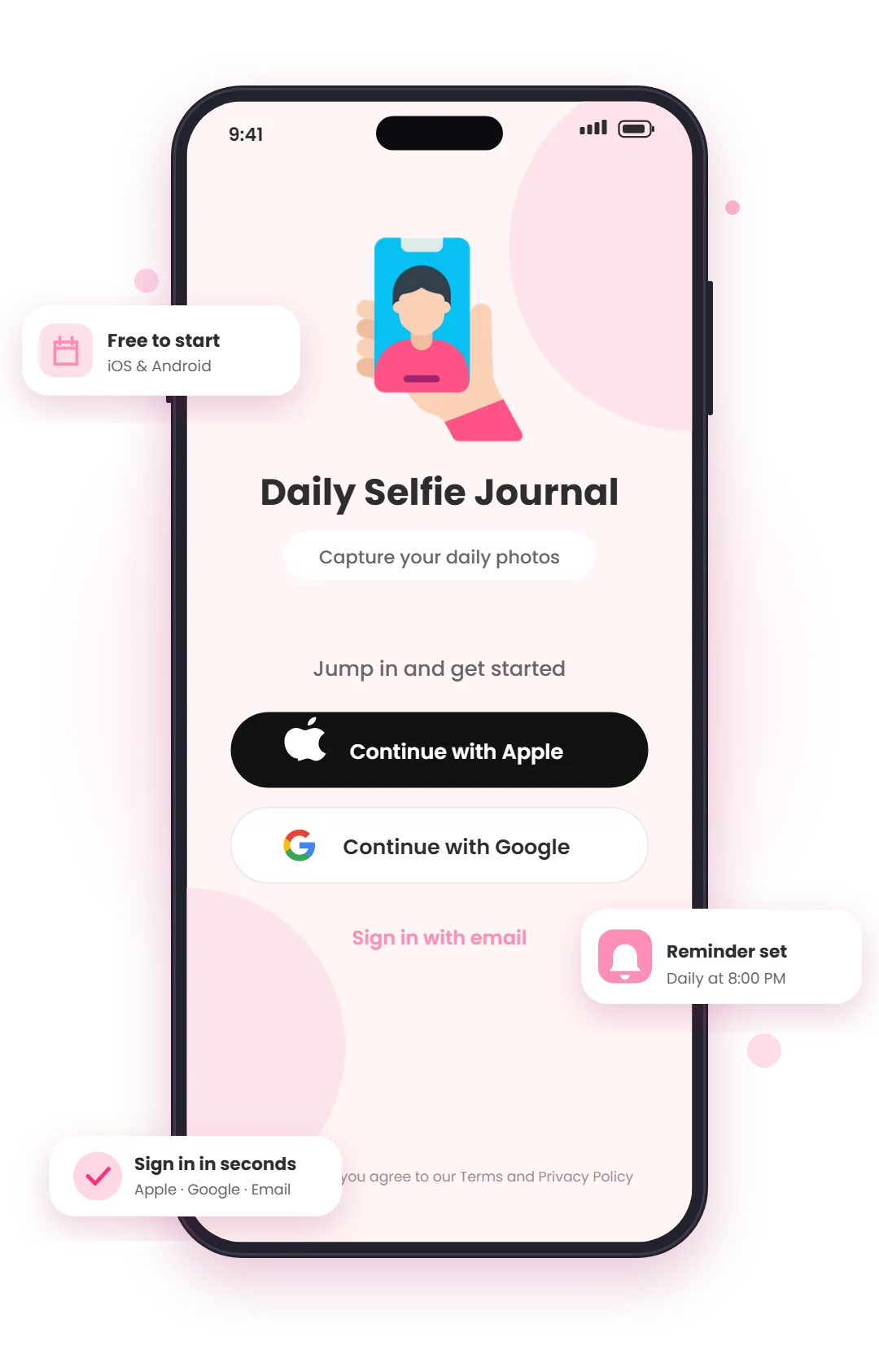
Install Daily Selfie on iPhone or Android, then sign in with Apple, Google, or email in a few seconds. A short onboarding asks when you'd like to be reminded, so your photo-a-day habit starts on day one.
- Free to download on the App Store and Google Play
- One-tap sign-in with Apple, Google, or email
- Set your daily reminder time during setup
-
2
Take a guided daily selfie
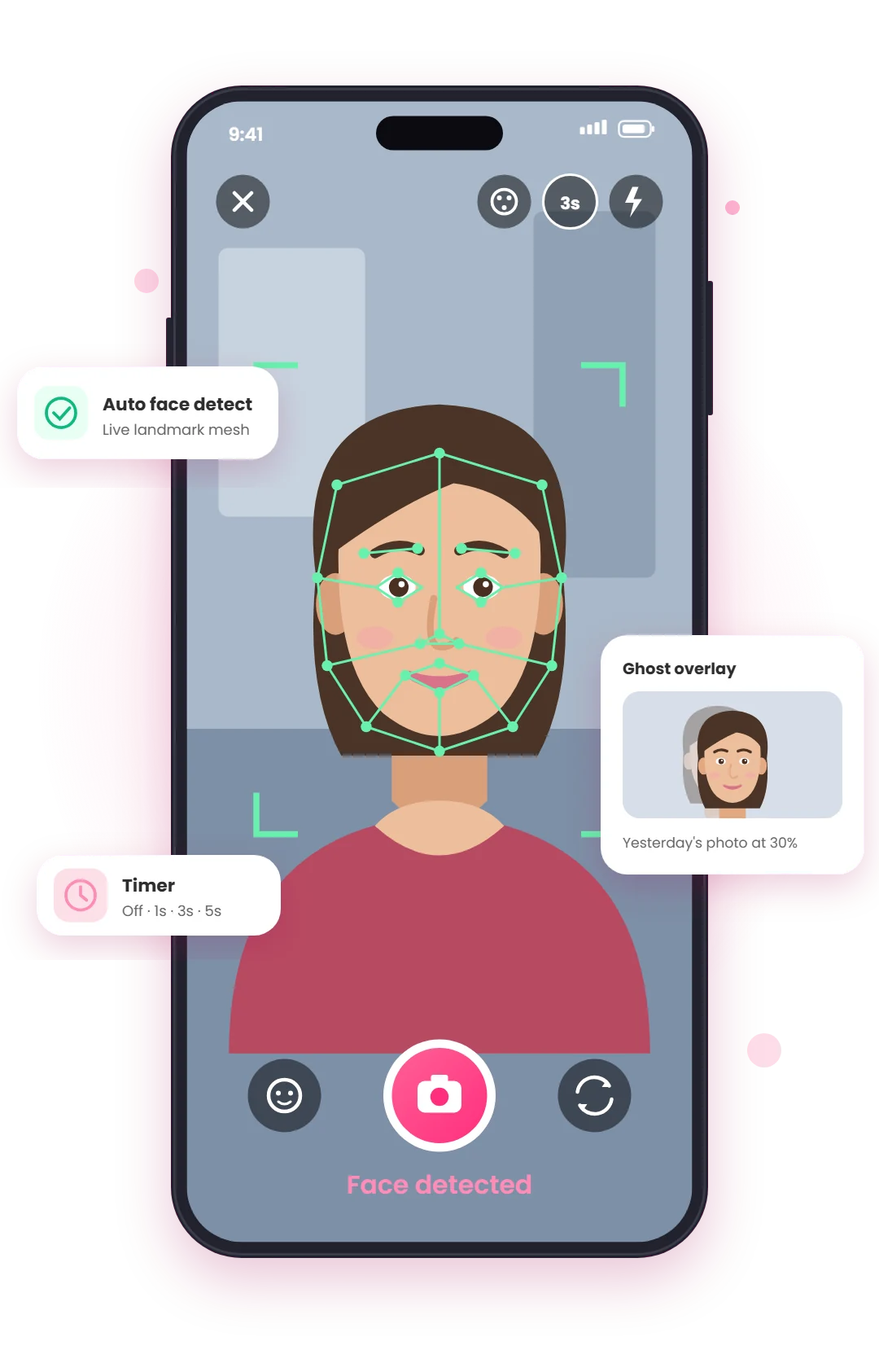
The smart camera detects your face in real time and shows a landmark mesh, so your eyes, nose, and chin land in the same spot every day. Swipe to switch to a rule-of-thirds grid or a ghost overlay of yesterday's photo. Consistent framing is what makes the final timelapse smooth.
- Live face detection with a "Face detected" check
- Ghost overlay shows your last photo at 30% opacity
- 1, 3, or 5 second timer, flash, and a screen ring light for evening shots
-
3
Polish your photo with filters
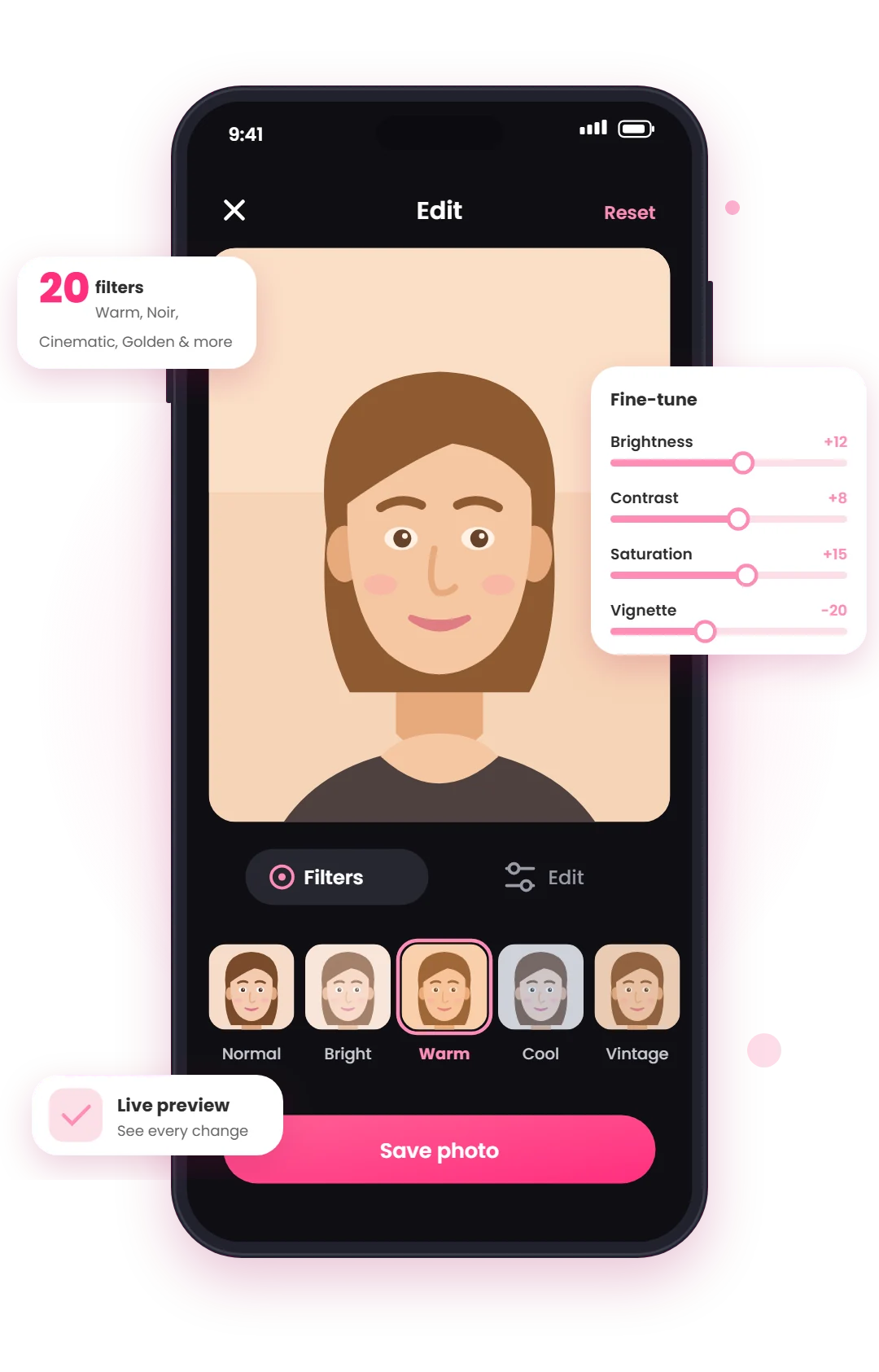
Before you save, pick from 20 filters, such as Warm, Cinematic, Noir, and Golden, or fine-tune the light yourself. Using the same look every day keeps the color consistent, so your video doesn't flicker between warm and cool frames.
- 20 filters with a live preview
- Brightness, contrast, saturation, and vignette sliders
- Reset to the original at any time
-
4
Watch your progress day by day
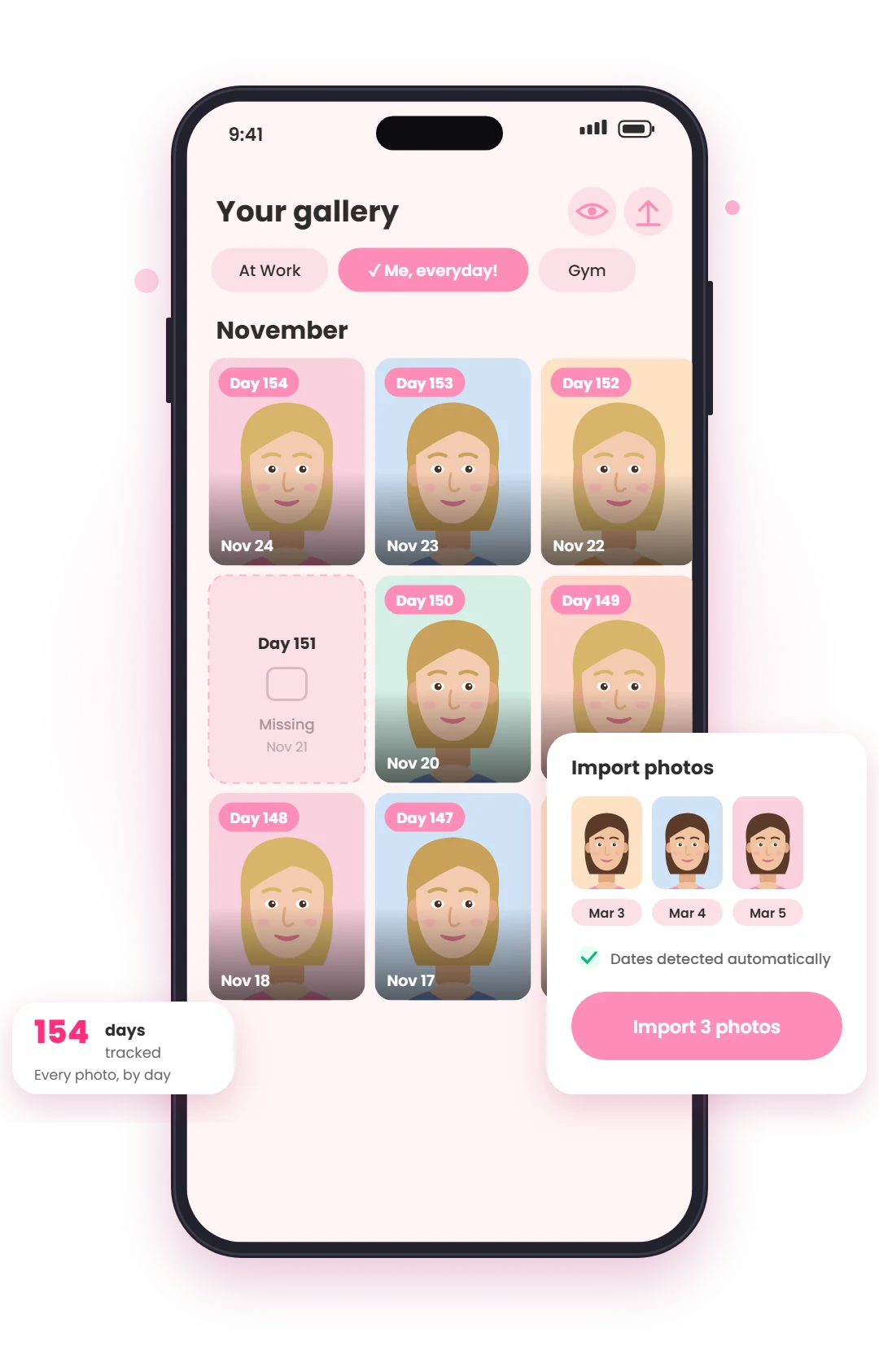
Every photo lands in a by-day gallery with a "Day N" badge, grouped by month, so you can see exactly how far you've come and which days you missed. Already have selfies in your camera roll? Import them in bulk; the app reads each photo's original date and puts it on the right day.
- Separate collections for each journey (face, fitness, baby, pets)
- Bulk import with automatic date detection
- Fix a date, move, share, or save any photo
-
5
Stay consistent with reminders and streaks
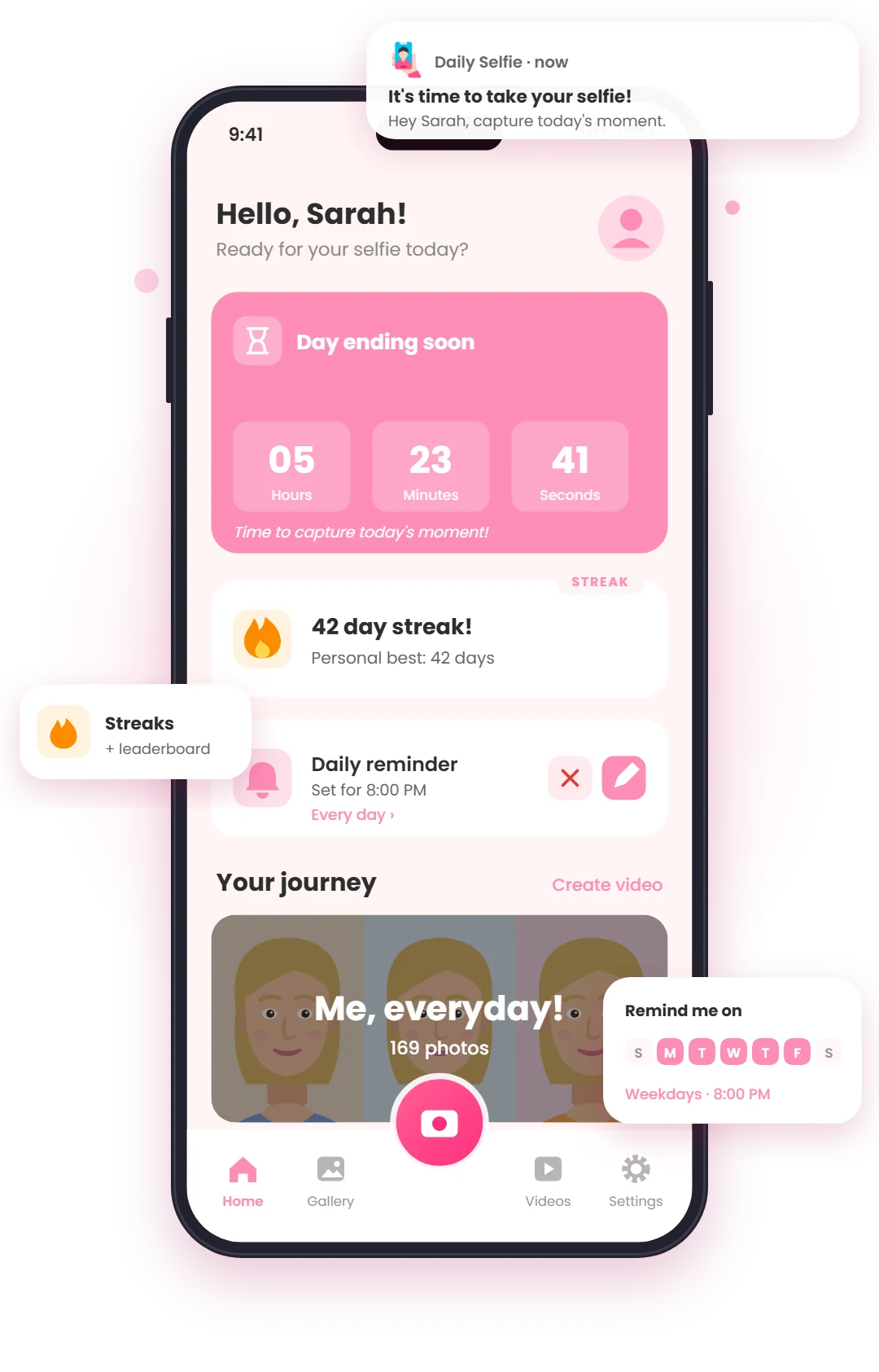
Consistency is the hardest part of any photo-a-day project, so the app helps you keep it up. A daily reminder fires at the time you choose, the home screen counts down the hours left in the day, and your streak (plus the streak leaderboard) gives you a reason not to break the chain.
- Reminders on the days you pick: every day, weekdays, or custom
- A "Day ending soon" countdown on the home screen
- Streak tracking with your personal best and a leaderboard
-
6
Create your timelapse video
When you're ready, tap Create video and choose a style. Smooth uses AI face morphing to blend each photo into the next, Simple builds a classic timelapse with automatic face alignment, and Templates gives you ready-made edits. Add music and date stamps, then export a vertical 9:16 video ready for Reels, TikTok, and YouTube Shorts.
- AI face morphing or a classic face-aligned timelapse
- Background music, beat sync, and date overlays
- Export in HD or Full HD 1080p and share in one tap
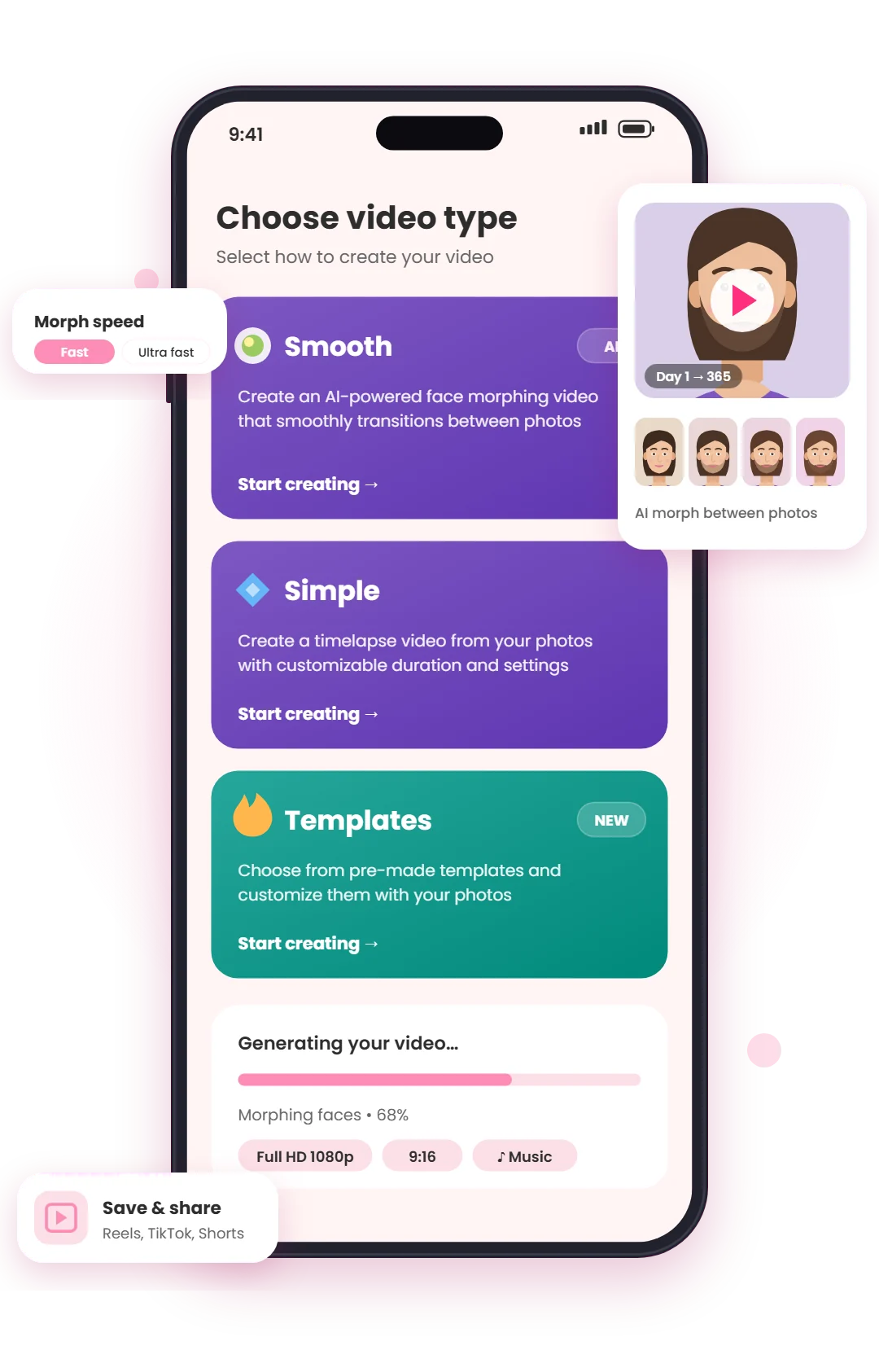
Three ways to turn photos into a video
Pick the style that fits your story, from a slow, cinematic transformation to a quick, punchy recap.
Smooth: AI face morph
AI detects your facial landmarks and morphs each photo into the next, so your transformation flows like one continuous shot with no jumps and no ghosting.
- Best for beard, hair, skin, and aging journeys
- Morph speed from Slow to Ultra fast
- Play oldest-to-newest or in reverse
Simple: classic timelapse
A fast, face-aligned timelapse of your whole collection. Set the length, sort order, and music, and every frame is positioned for you.
- Automatic face alignment
- Optional date on every photo
- Transitions synced to the music beat
Templates: ready-made edits
Drop your photos into pre-designed templates for a polished, social-ready video in seconds, with no editing skills needed.
- Pre-made looks for every kind of journey
- Customize with your own photos
- Vertical 9:16, made for social media
Everything you need for a photo-a-day project
Tools that keep you consistent while you shoot and save you hours when it's time to make the video.
Smart face alignment
Face detection keeps your eyes in the same spot in every frame.
Ghost overlay
Line up with yesterday's photo before you press the shutter.
Daily reminders
Friendly notifications at your time, on your days.
Streaks & countdown
A streak counter and leaderboard help you keep the chain going.
Multiple collections
Track your face, fitness, baby, or pet as separate journeys.
Import old photos
Bulk-import from your camera roll with automatic date detection.
App lock & backup
Biometric or PIN lock, with automatic cloud upload.
Full HD export
Vertical 1080p videos with music and date stamps.
What will you track?
People use Daily Selfie to document every kind of change.
- Beard growth
- Hair growth
- Fitness transformation
- Weight loss
- Pregnancy bump
- Baby growth
- Skincare progress
- Glow-up
Want a perfectly smooth timelapse?
Read our guide to making a smooth 1-year photo timelapse without spending 40 hours aligning eyes.
How it works: frequently asked questions
How does Daily Selfie keep my photos aligned?
The camera detects your face in real time and shows a landmark mesh, a grid, or a ghost overlay of your previous photo, so you line up the same way every day. When you build a video, automatic face alignment and AI morphing correct the small differences that remain.
Can I make a timelapse from photos I've already taken?
Yes. Import multiple photos from your camera roll at once. Daily Selfie reads each photo's original capture date and places it on the right day of your timeline, and you can change any date by hand.
What's the difference between Smooth and Simple videos?
Smooth uses AI face morphing to blend one photo into the next for a fluid, continuous transformation, which is ideal for faces. Simple creates a classic, face-aligned timelapse of your whole collection with music, beat sync, and optional date stamps.
How long does it take each day?
About ten seconds. Open the app from your reminder, line up with the guide, and tap the shutter. The app organizes, aligns, and stores the photo for you.
Can I track more than one journey?
Yes. Create separate collections for each journey, such as your face, a fitness transformation, your baby, or your pet. Each collection has its own photos, ghost overlay, and videos.
Are my photos private?
Your journal is protected by your account, and you can turn on App lock to require Face ID, fingerprint, or a PIN to open it. Photos upload to the cloud in the background, so they're safe if you change phones.
What video quality can I export?
Videos export in a vertical 9:16 format in HD (720p) or Full HD (1080p), ready for Instagram Reels, TikTok, and YouTube Shorts. Full HD export, date overlays, and Pro music tracks are part of Daily Selfie Pro.
Is Daily Selfie free?
Yes. Daily Selfie is free to download and use on iOS and Android, including the guided camera, reminders, and video creation. Pro removes ads and watermarks and unlocks Full HD export, date overlays, Pro templates, and Pro music.
Start your timelapse today
Take your first selfie in seconds, or import the photos you already have and watch your transformation video today.